



 Send Inquiry
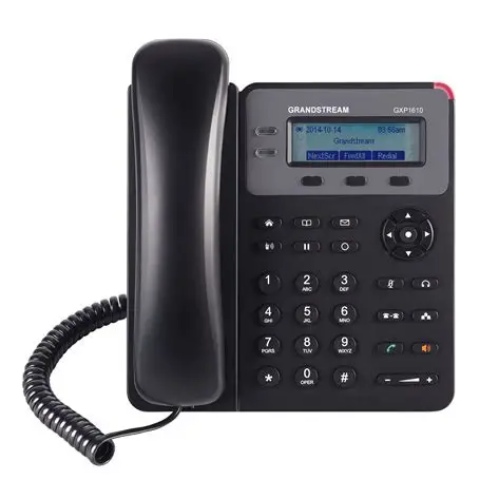
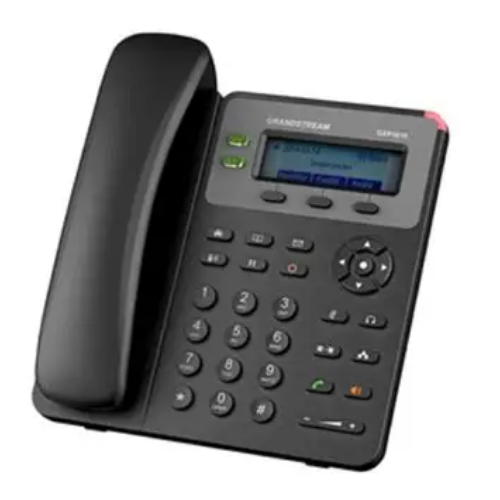
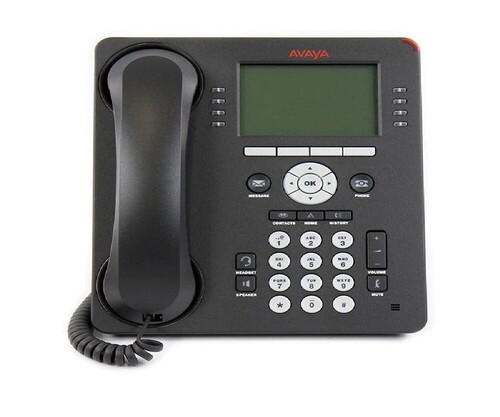
Avaya 9608 IP Phone
Price 7000 INR/ Unit
Avaya 9608 IP Phone Specification
- Model
- Avaya 9608
- Range
- LAN-Dependent
- Battery Backup
- Not applicable (Powered via PoE or AC Adapter)
- Mounting Type
- Desktop or wall mountable
- Power Supply
- 802.3af Power-over-Ethernet (PoE) or optional AC adapter
- Size
- Medium desktop size
- Interface Type
- RJ-45 network ports, headset jack
- Connectivity Type
- Ethernet (10/100) with PoE
- Features
- 8-line display, PoE support, backlit display, high-definition audio, programmable buttons, speakerphone, headset support
- Frequency
- Wideband audio up to 7 kHz
- Operating Temperature
- 0°C to 40°C
- Product Type
- Electrical
- Application
- Office and business telephony
- Dimension (L*W*H)
- 204 mm x 200 mm x 70 mm approx.
- Material
- High quality plastic
- Weight
- 1.06 kg approx.
- Capacity
- Up to 8 line appearances
- Coverage Area
- Designed for desktop use
- Programmable Buttons
- 8
- Security
- TLS, SRTP encryption
- Speakerphone
- Full-duplex
- Expansion Module Support
- Supports button expansion modules
- Display
- 3.2
- Audio Codecs
- G.711, G.729A/B, G.722 (wideband)
- Soft Keys
- 4 context-sensitive soft keys
- Languages Supported
- Multi-language support
- Ethernet Ports
- Dual 10/100 Ethernet
- Navigation
- 4-way navigation cluster with select button
- Headset Port
- Yes, dedicated headset port
- Compliance
- TAA compliant, FCC, Industry Canada
Avaya 9608 IP Phone Trade Information
- Minimum Order Quantity
- 3 Units
- Supply Ability
- Unit
- Delivery Time
- 10 Days
Avaya 9608 IP Phone About
Avaya One-X 9608 IP Phone 700480585 336Technical details
|
Bluetooth |
No |
|
Features |
IP phone |
|
Usage/Application |
IP Phone for Audio Conferencing |
|
Color |
Black |
|
Brand |
Avaya |
|
Model Number |
9608- I |
|
Network Equipment Type |
IP |
|
Type |
Wired |
|
Speed Dialling |
Yes |
Feature-Rich Display and Convenient Usability
The Avaya 9608 IP Phone features a generous 3.2-inch backlit display for clear visibility in varying lighting conditions. The interface includes 4 context-sensitive soft keys, 8 programmable buttons, and an ergonomic navigation cluster, which collectively make handling multiple calls and accessing features highly efficient for office professionals.
Superior Audio and Secure Communications
Experience high-definition conversations over wideband audio with codecs such as G.722, ensuring every call is exceptionally clear. Security is enhanced through built-in TLS and SRTP encryption, safeguarding sensitive business communications in compliance with industry standards.
Versatile Connectivity and Easy Integration
Equipped with dual 10/100 Ethernet ports and PoE support, the Avaya 9608 simplifies integration into office networks. Its support for expansion modules and wall or desktop mounting options makes it adaptable to a variety of workspace layouts and business communication needs.
FAQs of Avaya 9608 IP Phone:
Q: How do I connect the Avaya 9608 IP Phone to my office network?
A: The Avaya 9608 connects to your office network through its dual 10/100 Ethernet ports using standard RJ-45 cables. It supports both Power-over-Ethernet (PoE) for a single-cable setup or can be powered by an optional AC adapter.Q: What are the key benefits of using the Avaya 9608 in a business environment?
A: Key benefits include a user-friendly interface, crystal-clear wideband audio, secure encrypted communication, and the flexibility to manage up to 8 concurrent calls. Its programmable buttons and expansion capability also support advanced call handling for busy office scenarios.Q: Where can I mount or place the Avaya 9608 IP Phone?
A: You can use the Avaya 9608 as a desktop phone or mount it on the wall, making it suitable for various office setups. Its designed for medium-sized workspaces and fits comfortably on standard office desks.Q: What is the process for programming the soft keys and line buttons on the Avaya 9608?
A: Programming soft keys and line buttons is typically managed through the phones intuitive menu and navigation cluster. Alternatively, administrators can configure settings through the Avaya communication server to accommodate specific user roles and preferences.Q: When should I use the headset port versus the speakerphone feature?
A: Use the dedicated headset port for personal conversations or when you require hands-free multitasking in a quieter environment. The full-duplex speakerphone is optimal for conference calls or when multiple participants are involved.Q: What security features does the Avaya 9608 provide to protect calls?
A: The Avaya 9608 offers call protection through TLS and SRTP encryption protocols, ensuring that voice communication data is secure and compliant with relevant security standards like FCC and Industry Canada.

Price:
- 50
- 100
- 200
- 250
- 500
- 1000+

More Products in Avaya IP Phone Category
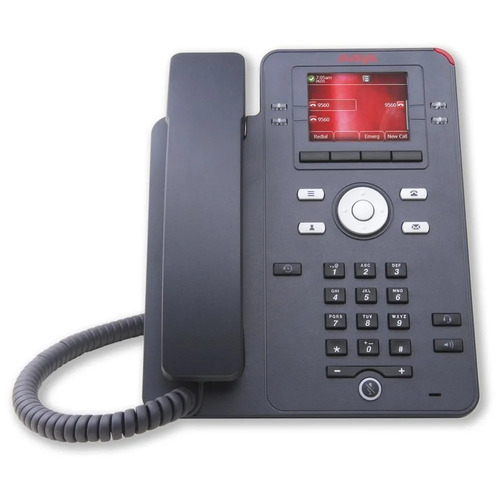
Avaya J139 IP Telephone
Price 12000.00 INR / Piece
Minimum Order Quantity : 1 Piece
Usage & Applications : This phone supports both desk and wall mounting for flexible installation and is powered by IEEE 802.3af PoE or an optional AC adaptor
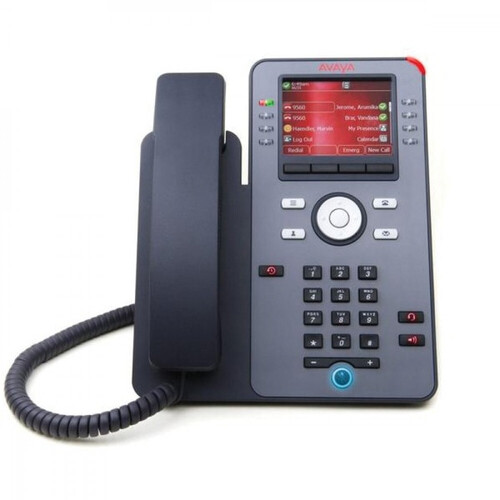
Avaya 9608-I IP Telephone
Price 11000.00 INR / Piece
Minimum Order Quantity : 3 Pieces
Usage & Applications : The Avaya J139 IP Phone is designed for modern communication needs, featuring a 2.8inch color display, support for SIP protocol, and a multiline interface. It is suitable for both large enterprises and small to mediumsized businesses, offering secure and reliable voice communication



Contact Details
GST : 29AKMPK0694E1ZW

 Send Inquiry
Mobile: 08026642852

 |
OPTIMA TECHNOLOGIES
All Rights Reserved.(Terms of Use) Developed and Managed by Infocom Network Private Limited. |
