


MOST POPULAR PRODUCT

 Send Inquiry
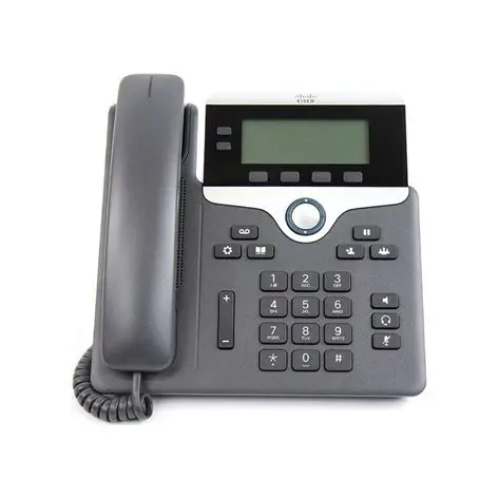
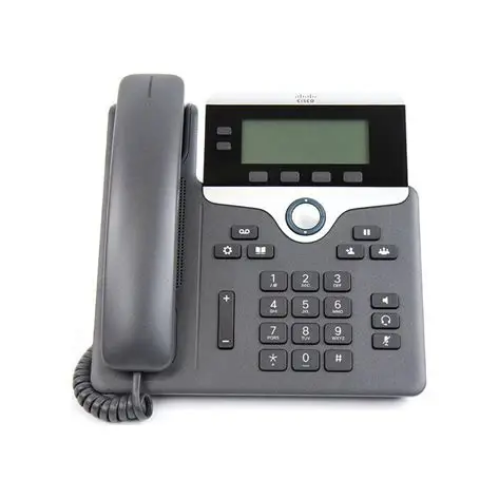
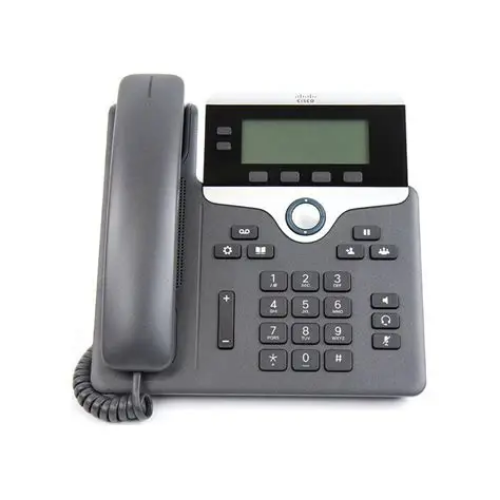
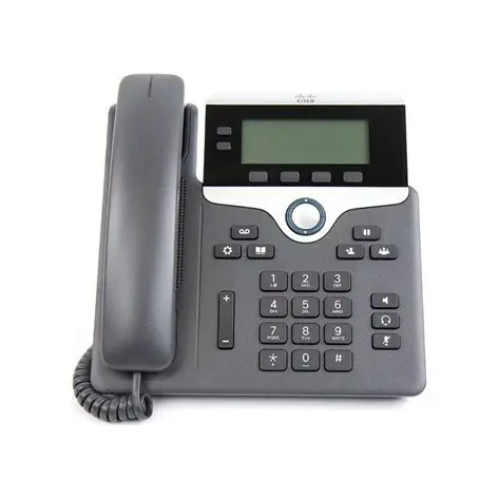
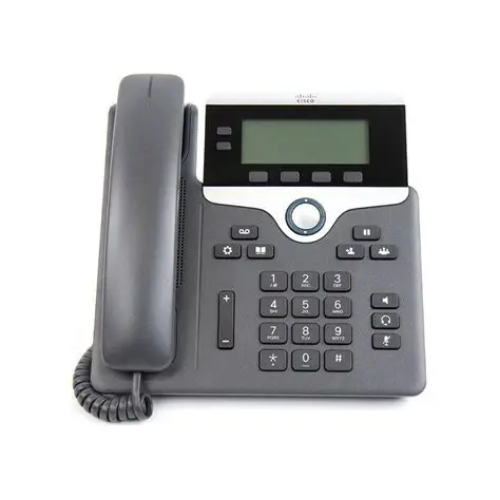
Cisco UC Phone 7821
Price 7580.0 INR/ Unit
MOQ : 3 Units
Cisco UC Phone 7821 Specification
- Model
- Cisco UC Phone 7821
- Mounting Type
- Desktop and wall-mountable
- Interface Type
- 2 x 10/100Base-T Ethernet ports
- Battery Backup
- No internal battery, requires external PoE or AC adapter
- Connectivity Type
- IP, Wired Ethernet
- Range
- LAN environment
- Size
- Standard desktop
- Operating Temperature
- 0°C to 40°C (32°F to 104°F)
- Power Supply
- Power over Ethernet (IEEE 802.3af) or optional 48V DC power adapter
- Features
- 2-line support, backlit grayscale display, PoE support, full-duplex speakerphone, ergonomic design, customizable ringtones
- Frequency
- N/A (VoIP device)
- Product Type
- Electrical
- Application
- Enterprise IP telephony, Office communication
- Dimension (L*W*H)
- 206 mm x 207 mm x 28 mm
- Material
- High-impact plastic
- Weight
- 0.95 kg (2.1 lbs)
- Capacity
- Supports up to 2 lines
- Coverage Area
- Desk/Workspace
- Compliance
- RoHS, WEEE
- Directories
- Corporate and personal directory access
- Language Support
- Multi-language display
- Speakerphone
- Full-duplex
- Security Features
- SRTP encryption, device authentication, secure boot
- Audio Quality
- Wideband audio support (G.722)
- Headset Support
- RJ-9 port for wired headset
- Display
- 3.5-inch (384 x 106) white backlit LCD
- Call Features
- Call hold, transfer, forwarding, conference, call waiting
Cisco UC Phone 7821 Trade Information
- Minimum Order Quantity
- 3 Units
- Supply Ability
- Unit
- Delivery Time
- 10 Days
About Cisco UC Phone 7821
Get easy-to-use, highly secure, and highly cost-effective voice communications for small to large businesses. The 7821 is supported on Cisco on-premises, hosted, Webex Calling and third-party call control offer flexible deployment options.
Product details
|
Model |
7821 |
|
Display Type |
Digital |
|
Voice Mail |
Yes |
|
HD Audio |
Yes |
|
Brand |
Cisco |
|
Power Supply |
AC |
Elegant Display and User-Friendly Interface
The Cisco UC Phone 7821 showcases a 3.5-inch backlit LCD, providing clear call information and menu navigation, while multi-language support ensures accessibility for diverse teams. Its intuitive interface allows for easy access to contacts, directories, and critical call features, enhancing daily office productivity.
Superior Audio and Connectivity
Wideband audio (G.722) ensures crystal-clear voice communications, complemented by a full-duplex speakerphone and wired headset compatibility. With two 10/100Base-T Ethernet ports, the device seamlessly integrates into your LAN environment, supporting efficient wired connectivity across your workspace.
Comprehensive Security and Compliance
Security is paramount: features like SRTP encryption, device authentication, and secure boot protect sensitive communications. The Cisco UC Phone 7821 meets RoHS and WEEE compliance standards, reflecting Ciscos commitment to environmental responsibility and data security in enterprise settings.
FAQs of Cisco UC Phone 7821:
Q: How does the Cisco UC Phone 7821 enhance audio clarity during calls?
A: The phone supports wideband audio (G.722) and features a full-duplex speakerphone, ensuring high-fidelity sound for more natural conversations. This makes it suitable for both personal and conference calls in office settings.Q: What steps are involved in setting up the Cisco UC Phone 7821 at my desk?
A: Installation is straightforward: connect the phone to your network using the two Ethernet ports for LAN connectivity, and power it through Power over Ethernet (PoE) or an optional 48V DC adapter. It supports both desktop and wall-mount setups for flexible placement.Q: When should I use a wired headset with this IP phone?
A: A wired headset, connected via the RJ-9 port, is ideal for multitasking or private conversations. It is especially beneficial during extended calls or when noise isolation is required in open-plan offices.Q: Where can I access my contacts and directories on the Cisco UC Phone 7821?
A: The phone includes dedicated access to corporate and personal directories directly from its display menu, allowing you to quickly search and call contacts without leaving your desk.Q: What security measures are in place for call protection on this phone?
A: Security features such as Secure Real-Time Transport Protocol (SRTP) encryption, device authentication, and secure boot are integrated to safeguard your communications and prevent unauthorized access.Q: How does the Cisco UC Phone 7821 benefit office communication?
A: With its dual-line support, customizable ringtones, and essential call features like hold, transfer, and conference, it streamlines workflow and ensures seamless internal and external communication in enterprise environments.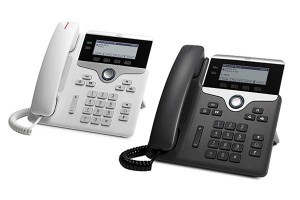
Tell us about your requirement

Price:
Quantity
Select Unit
- 50
- 100
- 200
- 250
- 500
- 1000+
Additional detail
Mobile number
Email


Quick Inquiry


Contact Details
OPTIMA TECHNOLOGIES
GST : 29AKMPK0694E1ZW
GST : 29AKMPK0694E1ZW
No 439/23, 2nd Main Road, Nrupathunga Layout, JP Nagar 7th Phase,Bengaluru - 560078, Karnataka, India
Phone :08045477919

 Send Inquiry
Mr Niranjan V (Proprietor)
Mobile: 08026642852
Mobile: 08026642852

 |
OPTIMA TECHNOLOGIES
All Rights Reserved.(Terms of Use) Developed and Managed by Infocom Network Private Limited. |
